Designing an AI-Powered Transaction Search Experience
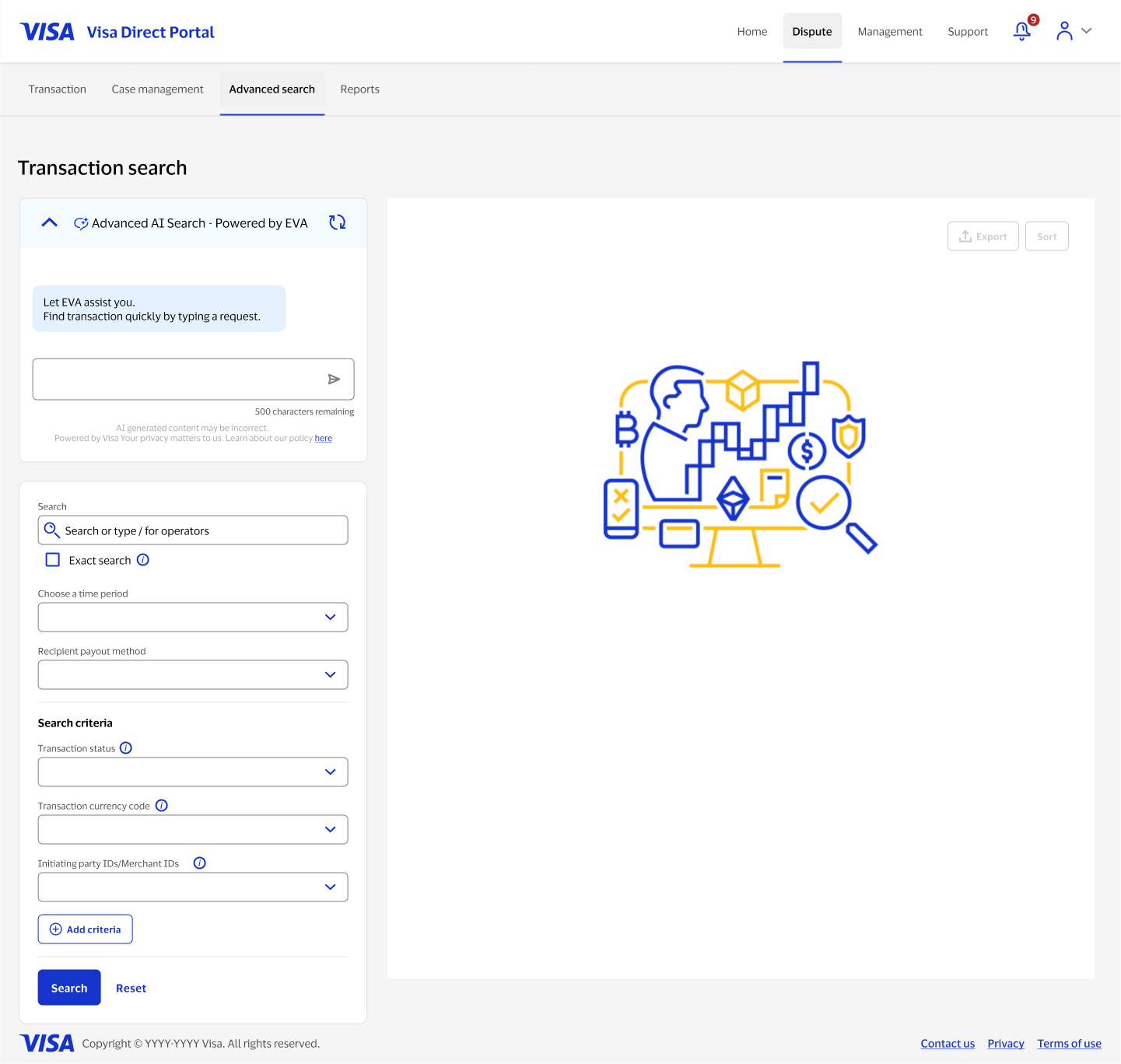
Visa Direct Portal's advanced search asked admins to manually configure time periods, payout methods, statuses, and IDs to find a transaction. I designed EVA, a generative AI assistant that lets an admin type a plain-language request instead, alongside the existing filter form, and extended the same pattern to the transaction detail page as an AI-generated summary of what happened to a specific transaction.
Overview
Finding a specific transaction inside the portal's advanced search meant knowing exactly which filters to set: time period, payout method, status, currency code, merchant IDs. That works well for someone who searches often, but it's a lot to hold in your head for an occasional user. This project added EVA, a generative AI assistant, as a second way in: type a request like "transactions in the last 3 hours" and get the same structured results, with the manual filters still there and still in sync, for anyone who wants full control.
My role
I designed the EVA search experience end to end: the assistant's states from empty to filled to results to no-results, how it stayed synchronized with the traditional filter form, and the terms-of-use consent flow required before anyone's first use of a generative AI feature in the portal. I also designed the transaction insights panel that applies the same AI-generated, plain-language pattern to an individual transaction's detail page.
The problem
{{ item }}
Key decisions in the experience
Most of the design work was about earning trust in something that could be wrong.
An assistant alongside the filters
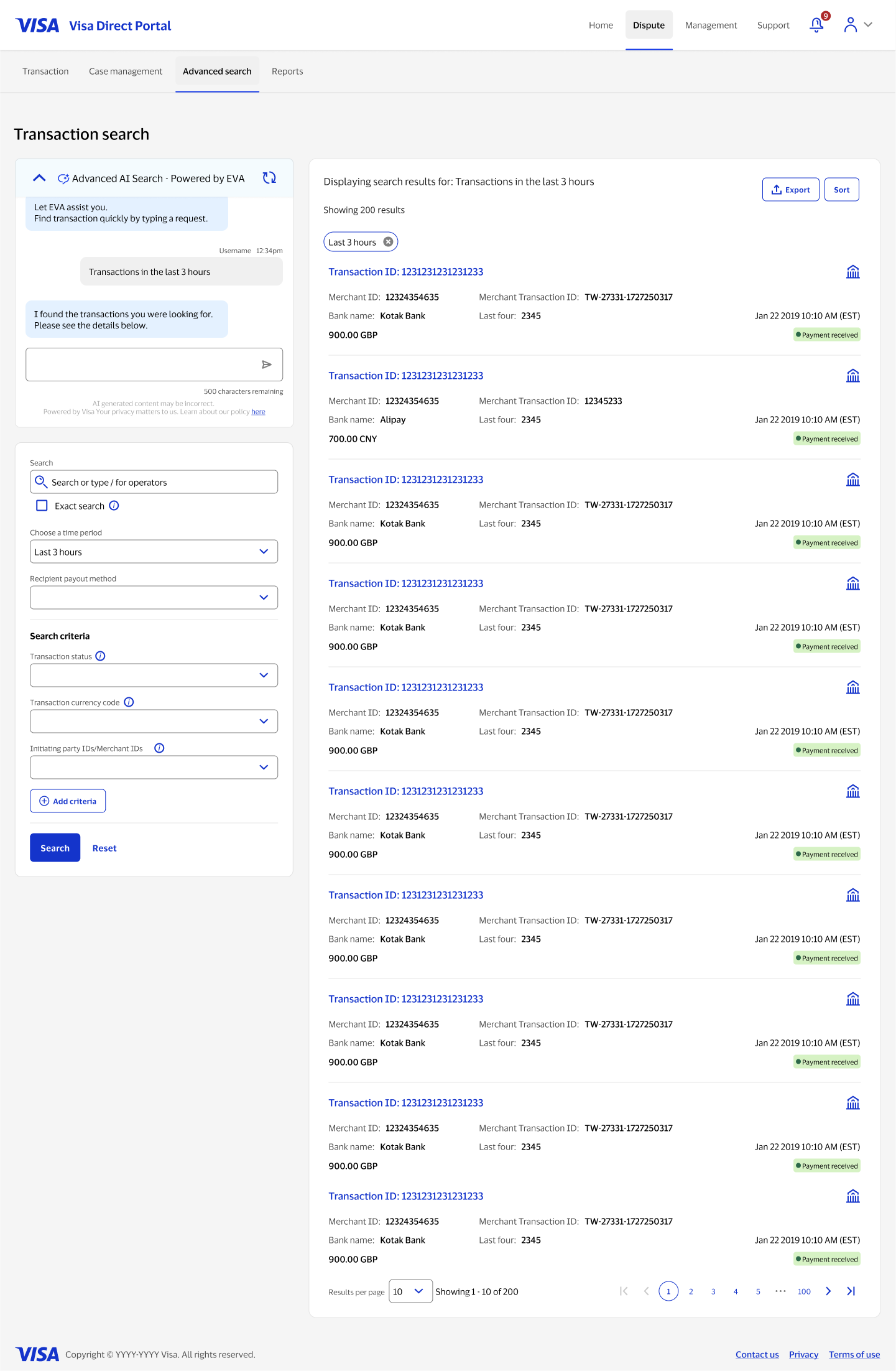
EVA sits above the existing advanced search form rather than replacing it. Anyone who preferred setting filters manually could keep doing exactly that, so adding an AI-first way to search never came at the cost of the reliable way that was already there.
Consent before the first AI response
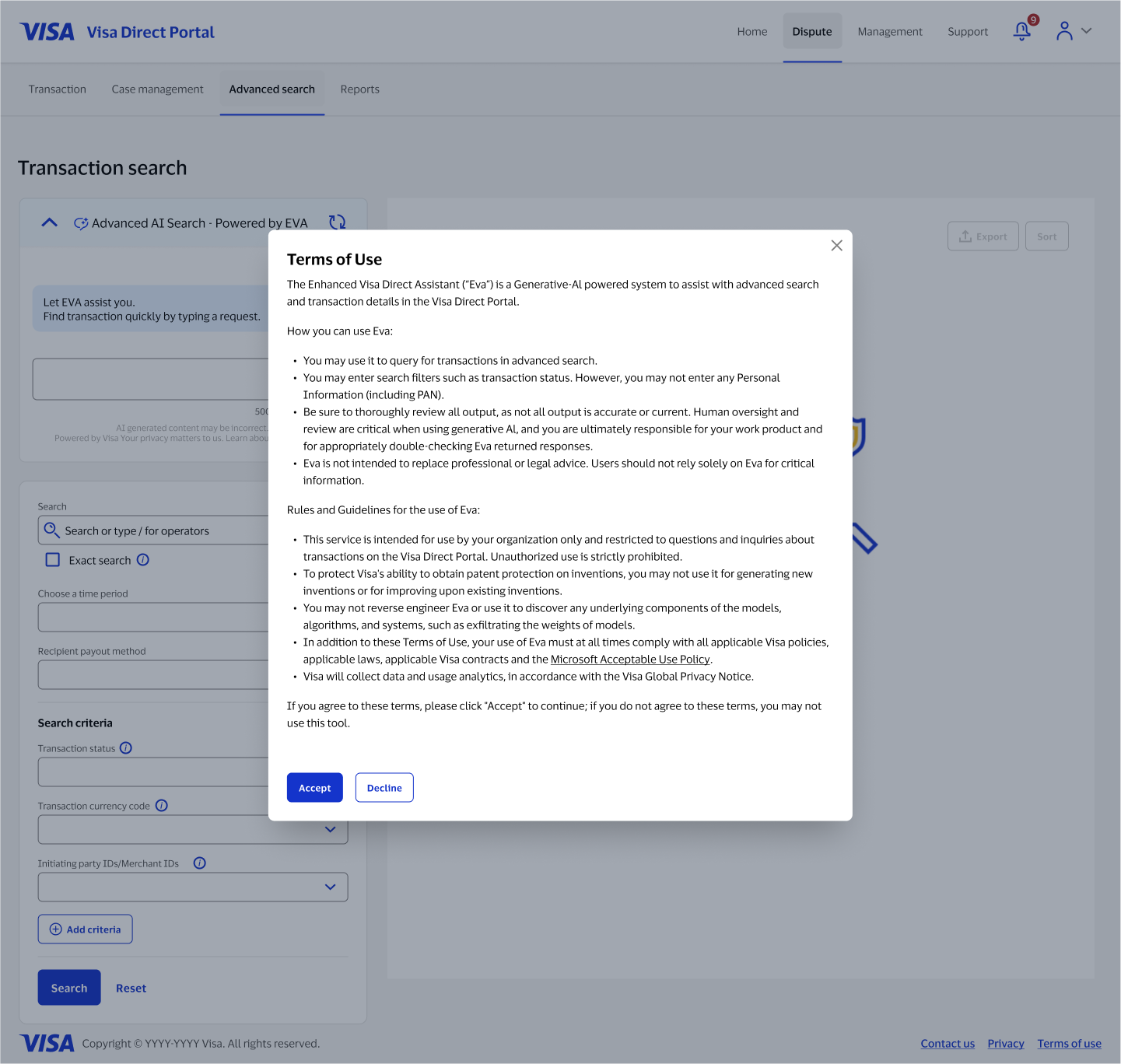
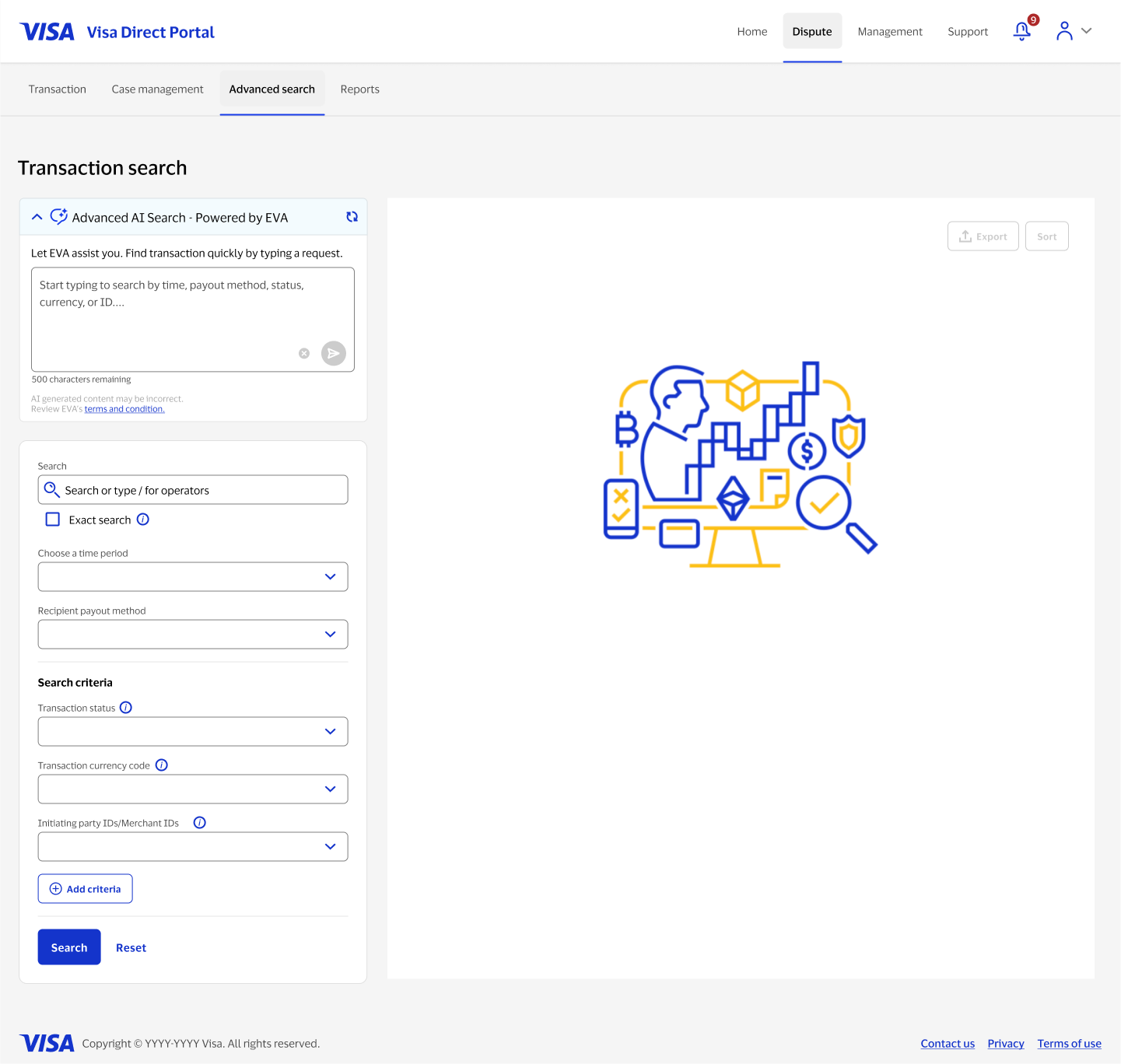
For many admins, this was the first generative AI feature in the portal, so a full terms-of-use screen appears before EVA's first use, explaining what it can do, what not to enter, and that output needs human review. Once accepted, the prompt box itself changes to guide the kind of request EVA can handle, with a persistent link back to the terms.
A conversation that shows its work
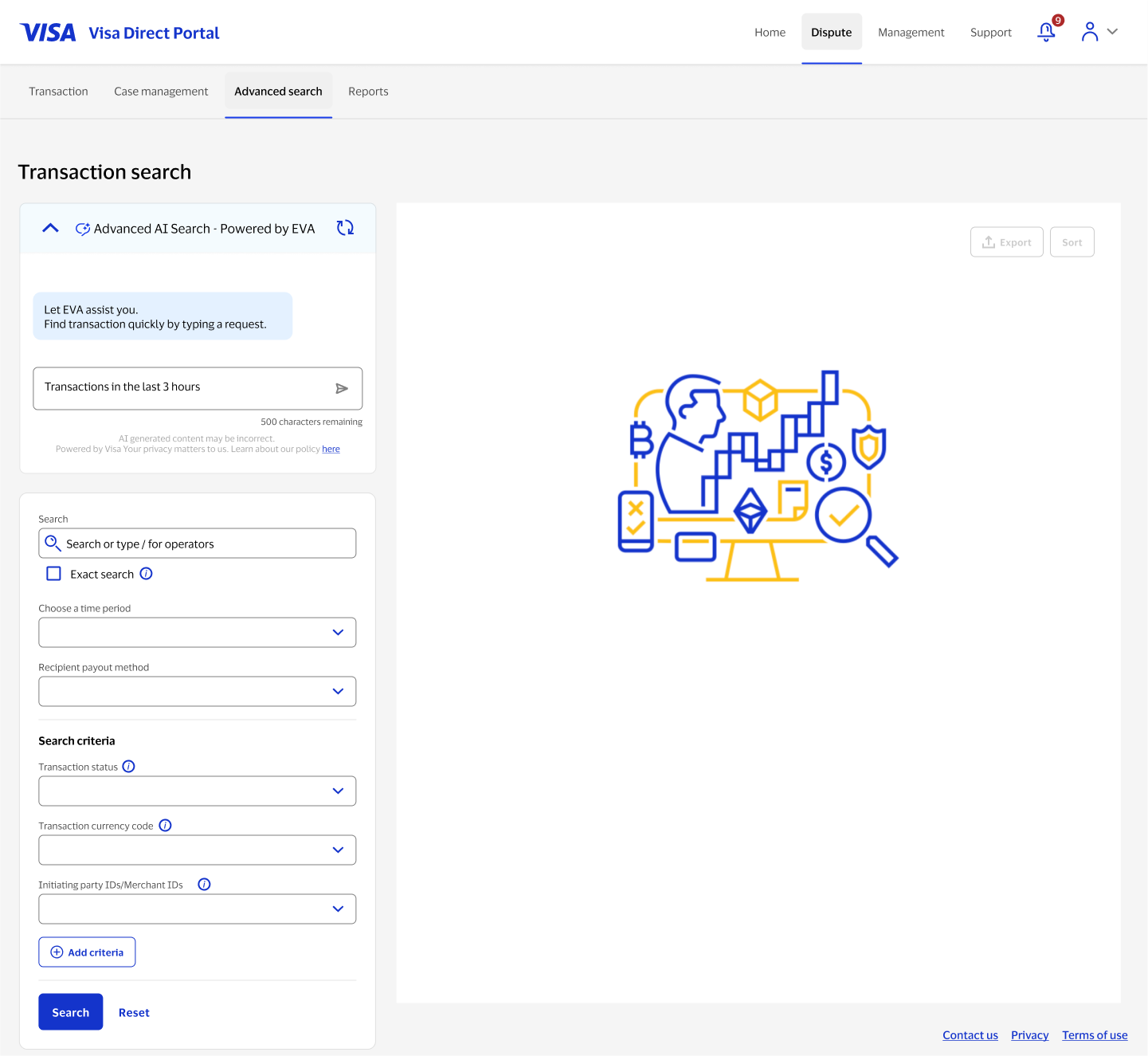
When someone types a request, EVA responds conversationally and echoes back what it understood as a removable filter chip on the results panel, "last 3 hours," visible and editable. The manual filter form updates to match, so a person can see exactly how their request was interpreted and adjust it by hand if EVA got it wrong.
Collapsing the assistant once the job is done
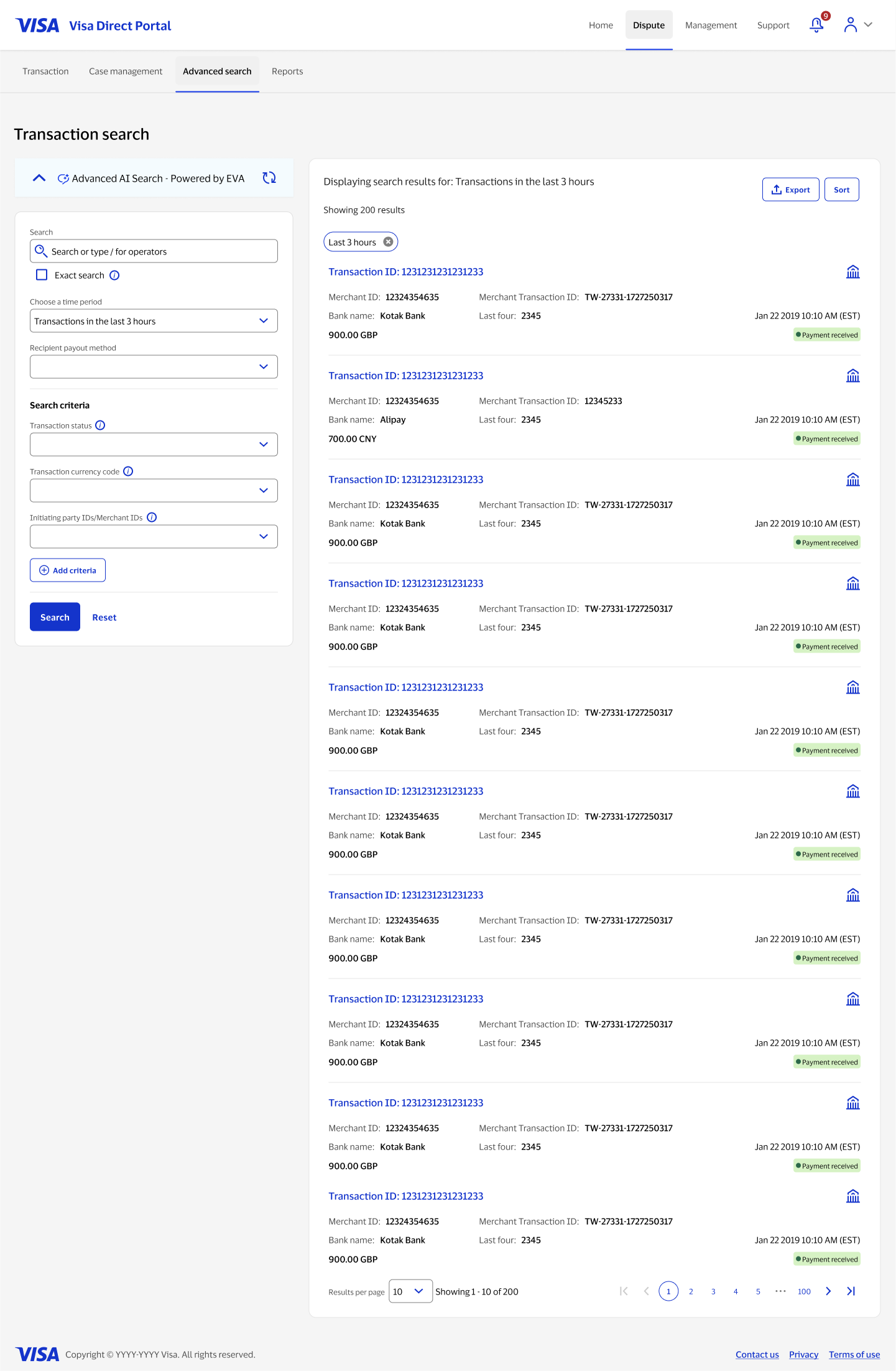
Once a search returns results, the EVA panel can collapse down to the filter chip and a collapsed header, handing the page back to the results list. Reopening the conversation is one click away, so the assistant doesn't have to keep taking up space to stay part of the flow.
Designing for zero results
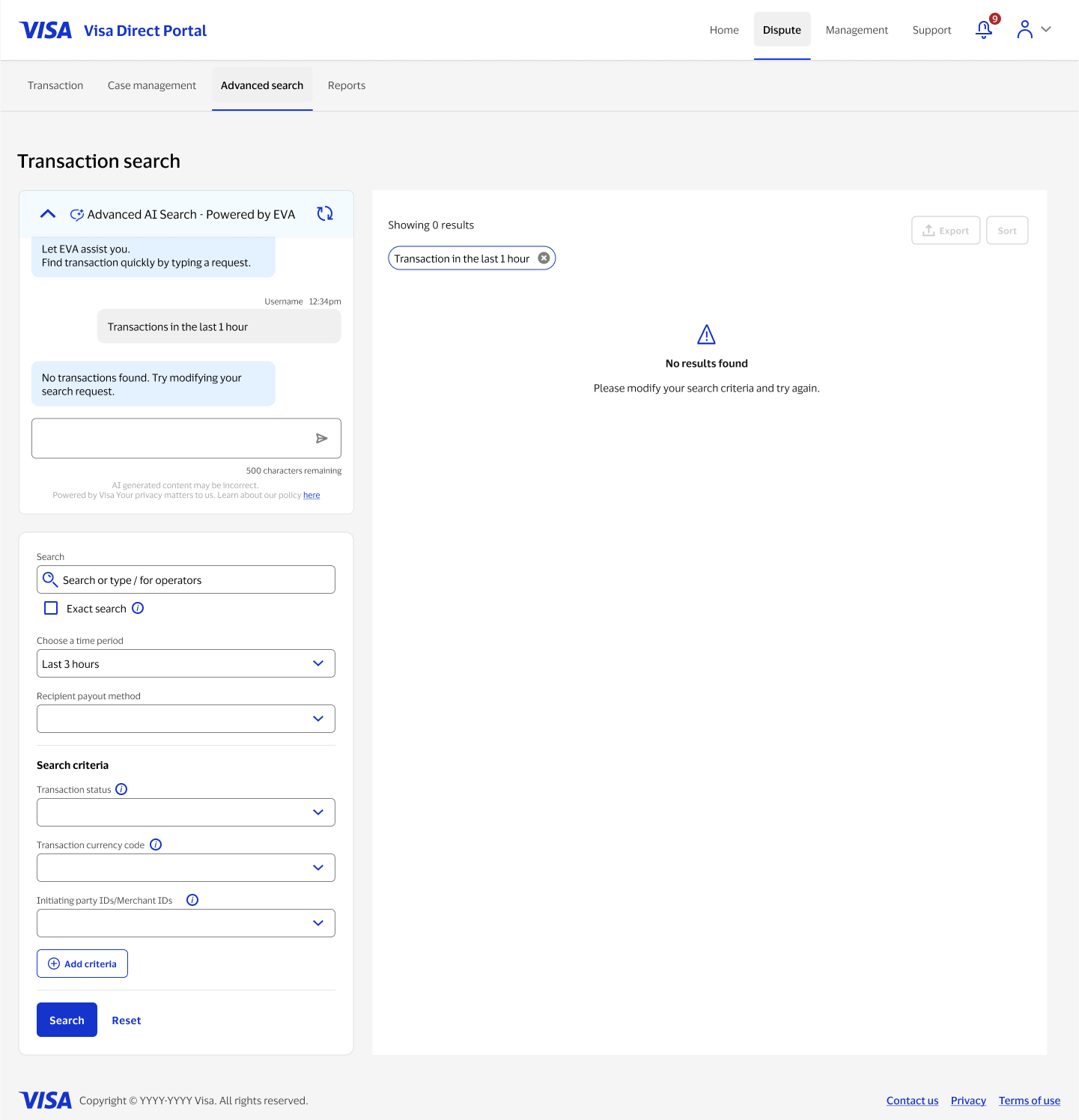
When EVA can't find a match, it says so plainly, "No transactions found. Try modifying your search request", instead of guessing. The results panel echoes the same message with a clear empty state, so a confident-sounding assistant never implies it found something it didn't.
Summarized AI insight
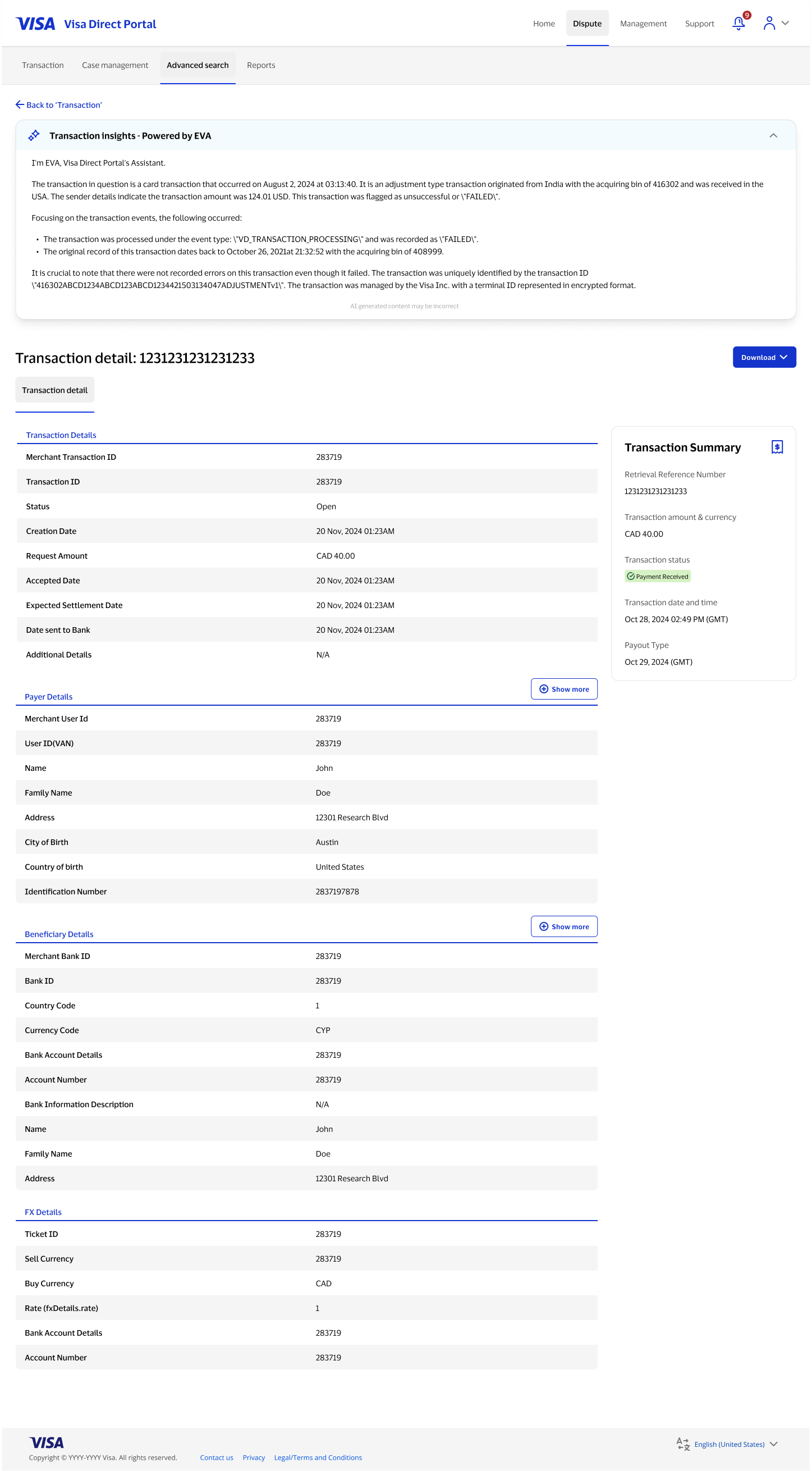
On an individual transaction's detail page, a "Transaction insights" panel powered by EVA turns the raw event log into a plain-language narrative of what happened and when, carrying the same disclaimer forward so the pattern stayed consistent everywhere EVA appeared in the product.
What made this hard
{{ c.title }}
{{ c.body }}
Where it landed
EVA gave admins a faster path into transaction search for the requests they could describe in a sentence, without removing the manual filter form that power users relied on. Both ways of searching stayed in sync, so neither felt like the fallback option.
The same "explain what happened, plainly" pattern extended past search into the transaction detail page, turning a dense wall of raw fields into a narrative summary someone could read in one pass, with the same trust-building disclaimer carried through everywhere EVA showed up.